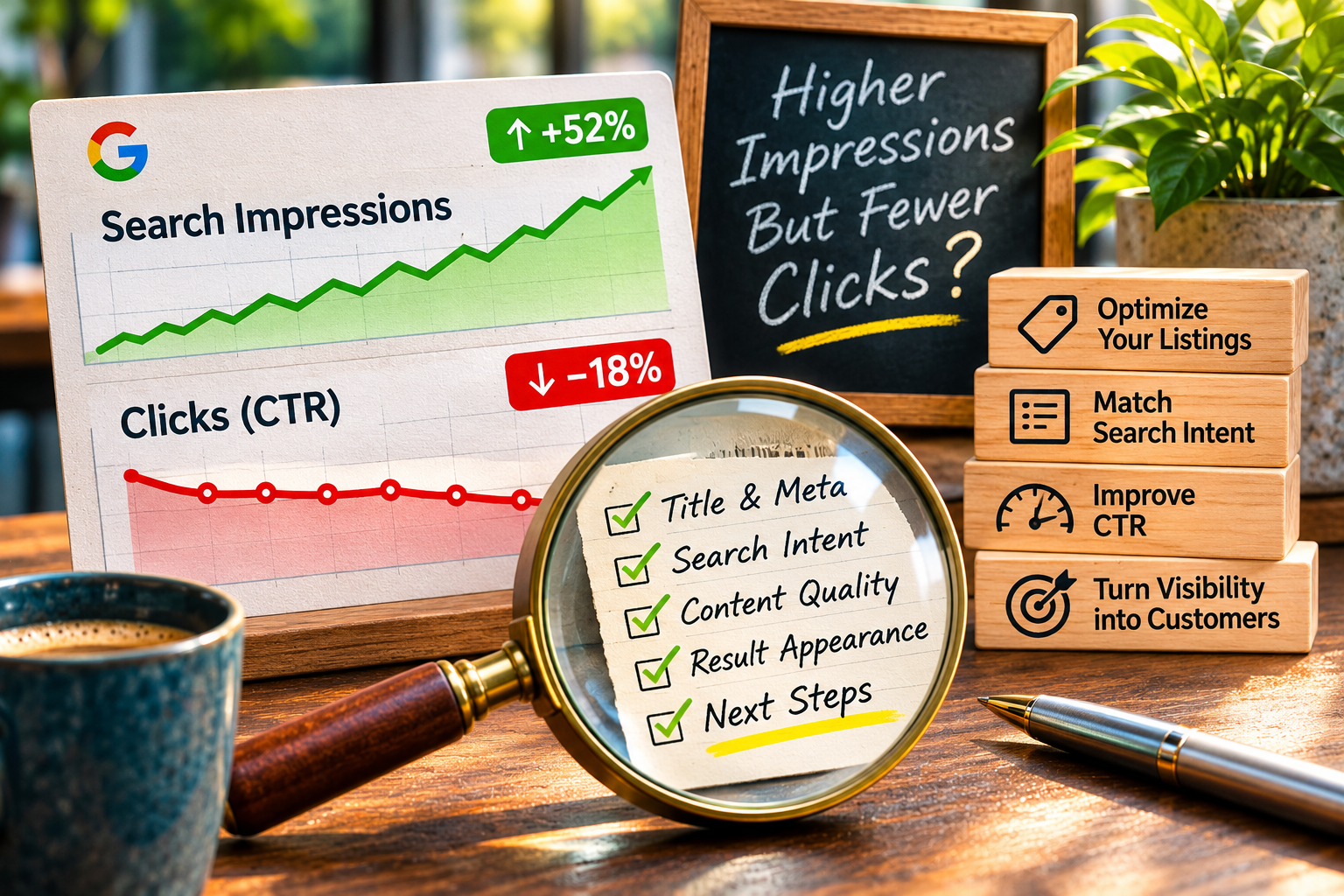
Your website is appearing in Google more often, but the extra visibility is not bringing more visitors. You open Search Console, see impressions climbing, and wonder whether your SEO is working or something is going wrong. For a small business owner, that can be frustrating—especially if you have been publishing useful articles and improving your service pages.
The answer is rarely as simple as “Google stopped sending traffic.” An impression means your result was shown in a qualifying search result, not that someone considered contacting you. A click means a searcher selected your result. Those numbers can move in different directions for perfectly ordinary reasons.
Before changing your website, buying another SEO package, or rewriting every page, work through a few checks that separate a genuine problem from a misleading dashboard trend.
First, make sure you are comparing the right numbers
In Google Search Console, impressions measure how often a page or result appeared in search results under Google’s reporting rules. Clicks count visits initiated by selecting your result. Click-through rate (CTR) is clicks divided by impressions, expressed as a percentage. Average position summarizes where your results appeared, but it is an average across many searches, pages and circumstances.
For example, imagine a site recorded 30,000 impressions and 900 clicks last month. Its CTR was 3%. If impressions rise to 45,000 while clicks stay at 900, CTR falls to 2%. The site has gained visibility, but not additional search visits. That is a signal to investigate, not proof of a penalty or a failed SEO strategy.
Use the same search type, date range and filters on both sides of the comparison. A 28-day period compared with the previous 28 days is a reasonable starting point. Then compare a longer period or the same season last year if your business has strong seasonal demand. Don’t compare a partial week with a complete week and call it a trend.
1. Separate branded searches from searches by new customers
Someone searching for your company name already knows something about you. Someone searching “emergency pest control near me” or “WordPress help for a small business” may be evaluating providers for the first time. Those are different kinds of visibility, with different click patterns.
Open the Queries tab and look at the searches gaining impressions. Are they variations of your business name, broad informational questions, or service-related phrases? If your new impressions are coming from broad questions, a lower overall CTR may simply mean your pages are reaching people earlier in the decision process.
That can be valuable. It does not automatically mean those people are ready to request a quote. Compare branded and nonbranded queries separately where possible, and look for the terms that suggest real buying intent. This is also why an SEO investment decision should consider qualified inquiries, not just exposure.
2. Find the pages responsible for the change
Next, switch to the Pages tab. A sitewide chart can hide the fact that one new article earned thousands of impressions while your main service pages stayed flat. That is not necessarily bad news. It tells you where the growth is happening and whether it is likely to support your business goals.
Compare the pages with the largest impression gains to the pages with the largest click gains. Look for three patterns: pages that gained both impressions and clicks, pages that gained impressions but little traffic, and important service pages that lost clicks or visibility.
For a service business, a useful educational article might attract many searches without immediately generating calls. Your local service page, by contrast, may receive fewer impressions but convert a larger share of visitors. Treat those pages differently. Don’t judge every URL by one average CTR target.
If the site’s overall visits have actually declined rather than merely failed to grow, use our separate website traffic drop diagnosis to investigate technical, tracking and demand changes.
3. Check where your results are appearing
A page that begins appearing on page two or near the bottom of a crowded results page can add impressions without adding many clicks. That is a different situation from a page holding a prominent position but being passed over by searchers.
Review average position alongside clicks and impressions for the same page and query, rather than relying on the sitewide average. Average position can change because the mix of searches changed, even if an individual important ranking did not. Check several meaningful queries before deciding that your rankings improved or deteriorated.
Device differences matter too. A result may be visible on desktop but much less prominent on a phone, where maps, ads, featured information and other search features occupy space. Use the Devices filter to see whether mobile and desktop tell different stories.
4. Read your title as a customer would
When a page appears for the right query in a useful position but attracts fewer clicks than expected, examine the result itself. The page title should make a clear promise about what the visitor will find. A vague title such as “Our Services” gives a searcher less reason to choose you than one that names the service, audience and practical outcome.
Search snippets are not always displayed exactly as you wrote them. Google may rewrite the visible title or description based on the query and page content. Still, a specific, accurate page title and helpful meta description give the search engine and the searcher a stronger starting point.
Look at the top queries for a page. Does the headline answer what those searchers actually want? Does the page deliver that answer near the top, or does it bury the useful information beneath generic marketing copy? Improve clarity before adding clever wording. A title that attracts the wrong click is not a win.
After someone clicks, the experience should continue logically. If visitors must guess where to go next, revisit your website navigation and page pathways rather than treating search results as the entire problem.
5. Consider what changed on the search results page
Search results are not ten identical blue links. Depending on the query, people may see maps, shopping features, videos, business profiles, AI-generated summaries, ads or other answers before they reach a conventional website result. Some searchers get enough information without visiting a site.
Those features can influence click behavior, but your Search Console totals alone cannot establish which feature caused a particular change. Avoid assuming that an AI Overview is responsible simply because impressions increased while clicks stalled. Inspect representative searches, note the visible features and compare the behavior of the affected queries over time.
For local businesses, the Google Business Profile can also be part of the customer’s path. A person may find your phone number or directions without visiting the website. That activity should be evaluated through the relevant business profile and lead records, not inferred from website clicks alone.
6. Check whether the clicks you already receive produce inquiries
More traffic is useful only when it supports a business outcome. Before chasing another thousand visits, ask what happens to the visitors already arriving. Can they identify your service area? Is the contact option easy to find? Does your quote form work on mobile? Are inquiries actually delivered to someone who can respond?
Search Console reports search visibility and clicks. It does not tell you whether a visitor became a customer. Analytics and properly configured conversion events can help, but for many small businesses a simple lead record is enough to begin: date, source when known, service requested, whether the inquiry was answered and whether it became a sale.
We covered this distinction in website form lead tracking. If leads are getting lost after submission, buying more traffic will only send more potential customers into the same broken process.
7. Make one useful improvement, then measure it
Once you identify a specific page and query group, choose the smallest change that addresses the evidence. You might clarify a page title, improve the first paragraph, add a concise answer to a common question, or make a relevant service link easier to find. Avoid rewriting dozens of pages simultaneously; it becomes harder to know what helped.
Record the date and the change. Allow enough time for search results and user behavior to respond, and compare the same page and query set afterward. Watch clicks, impressions, CTR and qualified inquiries together. Search performance is noisy, so a few days of movement should not be treated as a definitive verdict.
For an article gaining broad informational visibility, the best next step may be a clearer internal path to a related service—not an aggressive sales pitch. For a high-intent service page with poor snippet appeal, a title and description review may be more useful. The evidence should choose the action.
A 20-minute Search Console check for a busy owner
- Minutes 1–4: Compare two complete periods with the same filters. Note impressions, clicks, CTR and average position.
- Minutes 5–8: Review the queries gaining impressions. Separate branded, informational and service-intent searches.
- Minutes 9–12: Identify the pages behind the increase. Note whether important service pages are improving or slipping.
- Minutes 13–16: Check position and device patterns for two or three meaningful page-query combinations.
- Minutes 17–20: Choose one specific improvement, write down a baseline and decide when to review the result.
If the numbers are stable but inquiries are down, investigate conversion and follow-up instead of assuming search visibility is the culprit. If a key service page is losing both impressions and clicks, investigate rankings, indexing, technical health and competition more closely.
What this means for your next marketing dollar
Rising impressions with flat clicks can mean your site is being discovered for more searches, but not necessarily the searches that bring customers. It can also mean your result is less prominent, less compelling or surrounded by features that satisfy the searcher without a website visit. The right explanation depends on the query and page—not a single sitewide percentage.
For most small businesses, the sensible order is to confirm the data, identify the affected pages, make one targeted improvement and check whether qualified inquiries change. That gives you a stronger basis for deciding whether to invest in more content, a technical fix, a service-page improvement or nothing at all.
If you would like help reviewing your search performance and deciding what is worth fixing, request a conversation with Grassroots Consulting. The goal is not more dashboard activity. It is a website that makes it easier for the right customers to find and contact you.
Built in collaboration with ChatGPT.