Changing website maintenance providers should not mean losing access to your own website. Before a small business hands ongoing WordPress support to someone new, it needs a clear inventory of ownership, credentials, backups, renewals, and unfinished work. The goal is not to collect every technical detail. It is to make sure the new provider can protect the site without interrupting inquiries or changing something the business depends on.
Start with ownership, not passwords
Identify who owns the domain registration, hosting account, WordPress administrator accounts, DNS service, email service, analytics properties, and any paid plugins or themes. The business should know which accounts are registered in its name and which are controlled by an agency or employee. An invoice showing that you paid for a service does not necessarily prove that you control the account. Ask the current provider to identify the account owner and the renewal contact for each service.
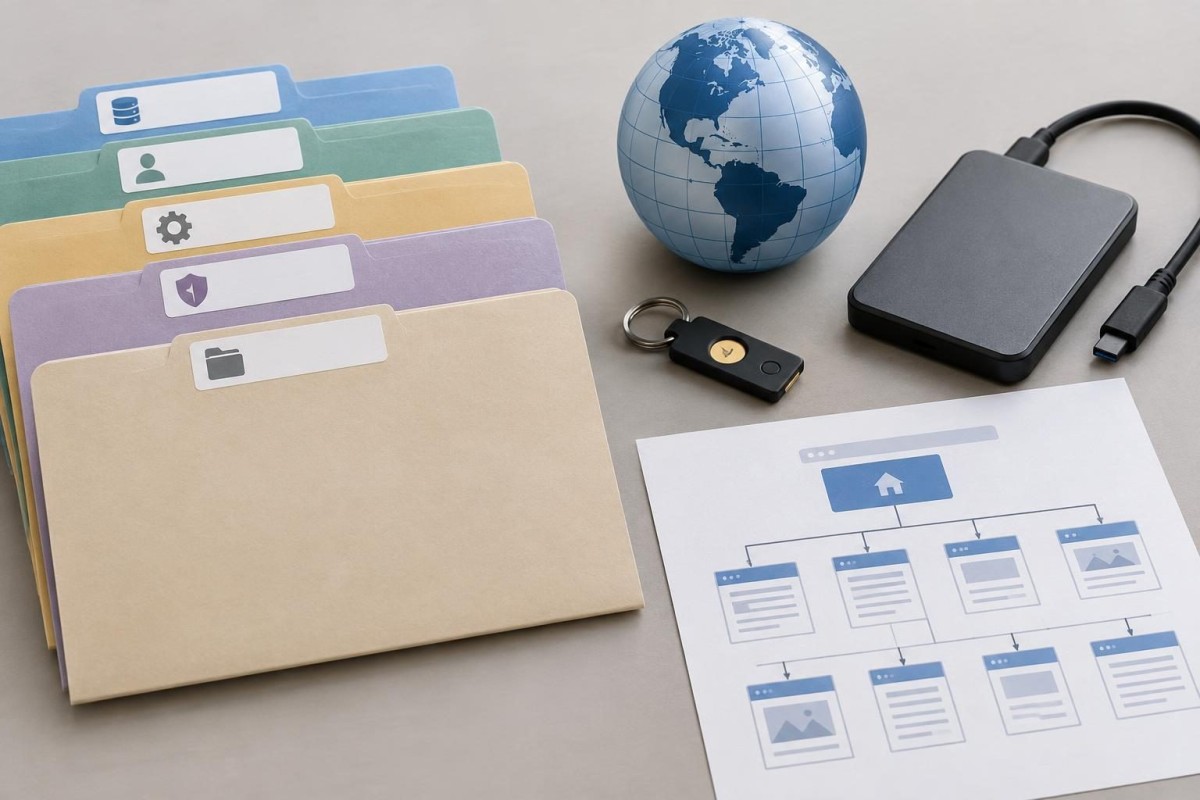
A practical handoff sheet has four columns: service, account owner, renewal or billing responsibility, and transfer action. Mark each item as confirmed, needs clarification, or not applicable. This simple status system makes gaps visible without requiring the business owner to understand server configuration.
Separate access transfer from credential sharing
Avoid emailing a master list of passwords to several people. Wherever possible, create individual named accounts for the incoming provider with the least privileges needed for the task. For WordPress, decide whether administrator access is necessary or whether a more limited role will work. For hosting and domain systems, use delegated access when supported. Enable multifactor authentication on important accounts and plan to remove access for the outgoing provider only after the transition has been tested.
Keep a secure recovery path that does not depend on either vendor. That may include the domain registrar’s recovery email, billing contact, backup authentication methods, and at least one owner-controlled administrator login. The new provider should be able to explain how access will be recorded, who may use it, and how it will be revoked if the relationship ends.
Get a usable backup and a rollback plan
Ask for a recent backup that includes both WordPress files and the database, plus any off-site assets or custom configuration the site relies on. A backup is more useful when its date, contents, storage location, and restoration procedure are known. A screenshot saying backup completed is not the same as a tested restore. If practical, have the incoming provider verify that the backup can be opened or restored in a safe environment.
Record the current hosting environment, PHP version, active theme, major plugins, DNS records, SSL certificate arrangement, caching layers, and scheduled jobs. This information helps the next provider distinguish an existing issue from one introduced during the handoff. If hosting will also change, treat that as a separate migration with its own staging, DNS and rollback plan. A maintenance-provider change does not automatically require a host move.
Protect the paths that generate business
A website can appear normal while important functions quietly fail. List the forms, notification addresses, booking or inquiry flows, ecommerce checkout if applicable, and third-party integrations that must keep working. Before and after the transition, submit a clearly labeled test inquiry and confirm it arrives at the intended destination. Also check the primary mobile navigation, important service pages, SSL status, and any conversion tracking that the business actually uses.
If the site has a history of missing inquiries, review the related WordPress contact form troubleshooting guide before assuming a handoff caused the problem. For a provider changing the hosting environment too, use the separate WordPress host migration preparation checklist to track additional infrastructure risks.
Make responsibilities explicit
Ask the incoming provider what is included in routine maintenance: WordPress core updates, plugin and theme updates, backups, security monitoring, uptime checks, restore support, performance reviews, and support response expectations. Find out which work requires a separate estimate. A monthly fee without a defined scope can leave both sides assuming someone else owns a critical task.
Document outstanding problems before the handoff: broken pages, slow loading, license expirations, unresolved form issues, pending design changes, and security notices. Give each item an owner and next step. The purpose is not to blame the outgoing team. It is to create a reliable starting condition and avoid confusing old defects with new ones.
Use a two-stage acceptance check
First, verify access and recoverability: the owner controls the key accounts, the new provider has appropriate permissions, a backup exists, and renewal obligations are documented. Second, verify the live business experience: the site loads, forms deliver, important pages work on mobile, and analytics or other essential integrations continue to function. Do not mark the transition complete because the login credentials were received.
For example, imagine a service company changing maintenance vendors while keeping its existing host. The company may only need delegated WordPress and hosting access, a verified backup, an inventory of licenses, and tests of its estimate-request form. Moving DNS or rebuilding the website would introduce unnecessary risk. By contrast, if the outgoing vendor owns the hosting account and cannot delegate access, the business may need a planned migration. These are hypothetical situations, but they show why the account-ownership inventory should drive the next action.
A short handoff meeting is worth the effort
Schedule a final review with a named contact from each side when possible. Confirm which provider is responsible during the overlap period, when old access will be removed, who responds to urgent issues, and how completion will be documented. Keep the handoff record somewhere the business can retrieve later, rather than buried in one person’s inbox.
The best outcome is ordinary: customers notice no disruption, the business retains control, and the new provider has enough information to maintain the site safely. If you need help defining a maintenance transition or reviewing ongoing WordPress support, request a conversation with Grassroots about the scope and next steps.
Built in collaboration with ChatGPT.