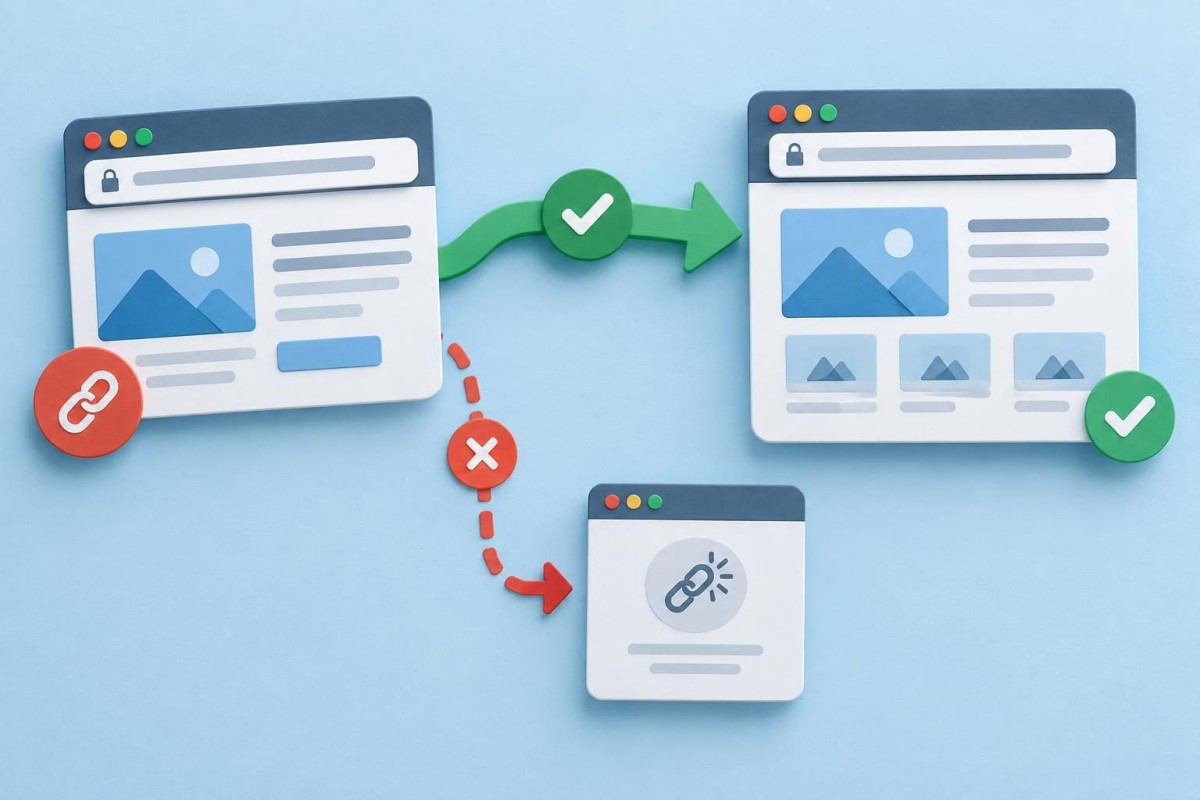
Changing a page address seems like a small website edit. But a link printed on a brochure, saved in a customer’s bookmark, shared in an email or indexed by Google may still point to the old address. If that address disappears without a sensible route to the replacement, a useful page can become a dead end. The fix is usually a redirect—but only when the old and new pages genuinely serve the same purpose.
Start by deciding whether the URL really needs to change
A cleaner-looking address is not automatically a better business outcome. If an established service page already works, attracts relevant visitors and accurately describes the service, changing its URL for a minor wording preference creates avoidable work. A URL change makes more sense when consolidating duplicate pages, correcting a misleading address, reorganizing services or replacing an outdated page with a clearly equivalent resource.
Before touching anything, record the current URL, proposed replacement, page title, internal links that point to it and any known external uses. Keep the old page reachable until the replacement and redirect plan are ready. For an established WordPress site, take a suitable backup or use staging for structural changes. Our WordPress development and support work includes these kinds of careful site changes.
Use the right destination, not just the homepage
A permanent redirect—commonly an HTTP 301—tells browsers and search engines that a resource has moved. For a straightforward permanent page move, point the old URL directly to the closest equivalent new URL. A discontinued bathroom-remodeling service page should not automatically redirect to an unrelated homepage or general blog index. That may technically avoid a 404 screen, but it does not answer the visitor’s original question.
If the service has genuinely ended and no relevant replacement exists, a proper 404 or 410 response may be more accurate than an irrelevant redirect. If the move is temporary, the appropriate redirect status may differ. The choice depends on whether the destination is a real replacement and whether the change is permanent.
A five-part URL change checklist
1. Inventory what the old address does
Open the current page and note its content, call to action, downloads, embedded forms, important images and linked resources. Check whether it is in your navigation, footer, service cards, related articles, email templates or printed materials. Where available, review Search Console page performance and analytics to understand whether the old address receives meaningful traffic. These are clues about risk, not a promise that rankings will stay unchanged.
2. Prepare the replacement page before switching
Confirm the new page answers the same customer question and has a useful title, headings, working links and the correct contact path. Do not redirect visitors into a half-finished page. If the content has been consolidated into a broader guide, make sure the destination actually covers the former page’s key information. Keep the new address simple, descriptive and stable rather than changing it repeatedly to chase keywords.
3. Add one direct redirect
Configure the old address to redirect straight to the final new address using an appropriate WordPress redirect tool or server configuration. Avoid chains such as old address to intermediate address to final address, and avoid loops. Check whether a redirect already exists before adding another. WordPress permalink changes, plugin settings, caching layers and server rules can interact, so document where the rule lives. A redirect plugin is not necessarily the right answer when a server-level rule already controls that path.
4. Update your own links
A redirect is a safety net for old links, not an excuse to keep linking internally to obsolete addresses. Update navigation, service cards, contextual article links, buttons and XML sitemap entries where the site controls them. Also check canonical URL output, if used, to ensure it identifies the intended current page. Search engines should be able to discover the final destination without navigating through unnecessary hops.
5. Test from the visitor’s side
Open the old address in a private browser window and verify it lands on the intended new page. Check the final URL, not just whether a page appears. Test on mobile and desktop, and try any form or primary action on the destination. If you have access to an HTTP status checker, confirm the old URL returns the intended redirect response and the final destination returns a successful page response. Clear relevant caches only when needed, then test again.
A practical decision table for common situations
Same service, new address: usually redirect old to new directly, then update internal links. Two similar guides merged: redirect each retired guide only when the consolidated guide meaningfully covers its subject. Service discontinued with no replacement: consider a useful explanatory page or an honest not-found response rather than a misleading redirect. Temporary campaign page move: establish whether the move is temporary before choosing a permanent redirect. Only the page title changed: often no URL change is needed at all.
For example, imagine a contractor changing /roof-repair/ to /roof-repair-west-palm-beach/ because the company now wants a clearer service-area page. If the new page genuinely replaces the old roof-repair information, a direct redirect can help people who still have the earlier link. If the new page instead discusses an unrelated service, it is not an equivalent destination. This is a hypothetical illustration, not a client case or a ranking prediction.
What to monitor after the change
Check the new page manually right away and again after the next relevant site update. Over the following weeks, review Search Console indexing and page/query trends where data is available, while allowing for reporting delays. Watch for new 404s, unexpected redirect destinations and important links that still point to the old path. Do not interpret a single day’s impressions or clicks as proof that the redirect succeeded or failed. Search performance can change for reasons unrelated to a URL move.
Keep a simple change log: old URL, new URL, reason for the move, redirect location, date, who tested it and any follow-up issues. That record becomes especially useful when a site has changed agencies, themes or hosting providers. Our hosting and ongoing website maintenance service focuses on keeping these everyday business functions dependable after launch.
When to get technical help
A single page move may be manageable with a reputable redirect tool. A migration involving dozens of service URLs, category structures, language versions, ecommerce products or domain changes deserves a documented mapping and testing plan. Be especially careful when a URL is tied to payments, scheduling, form submissions or a third-party integration. The cost of a wrong redirect can be missed inquiries or a broken workflow, not merely an unattractive error page.
If you are planning a larger change and want help deciding what should move, what should remain and how to test it, request a discovery conversation with Grassroots. The goal is to protect the useful parts of your existing site while making the necessary change.
Built in collaboration with ChatGPT.